Agenda and session management
Publish the programme once and every guest sees the same agenda, in their own portal and on their phone, updated the moment you change it.
The stale PDF problem
An agenda distributed as a PDF is out of date the first time a session moves. From then on, half the room is working from the wrong schedule and nobody knows which half.
How it works
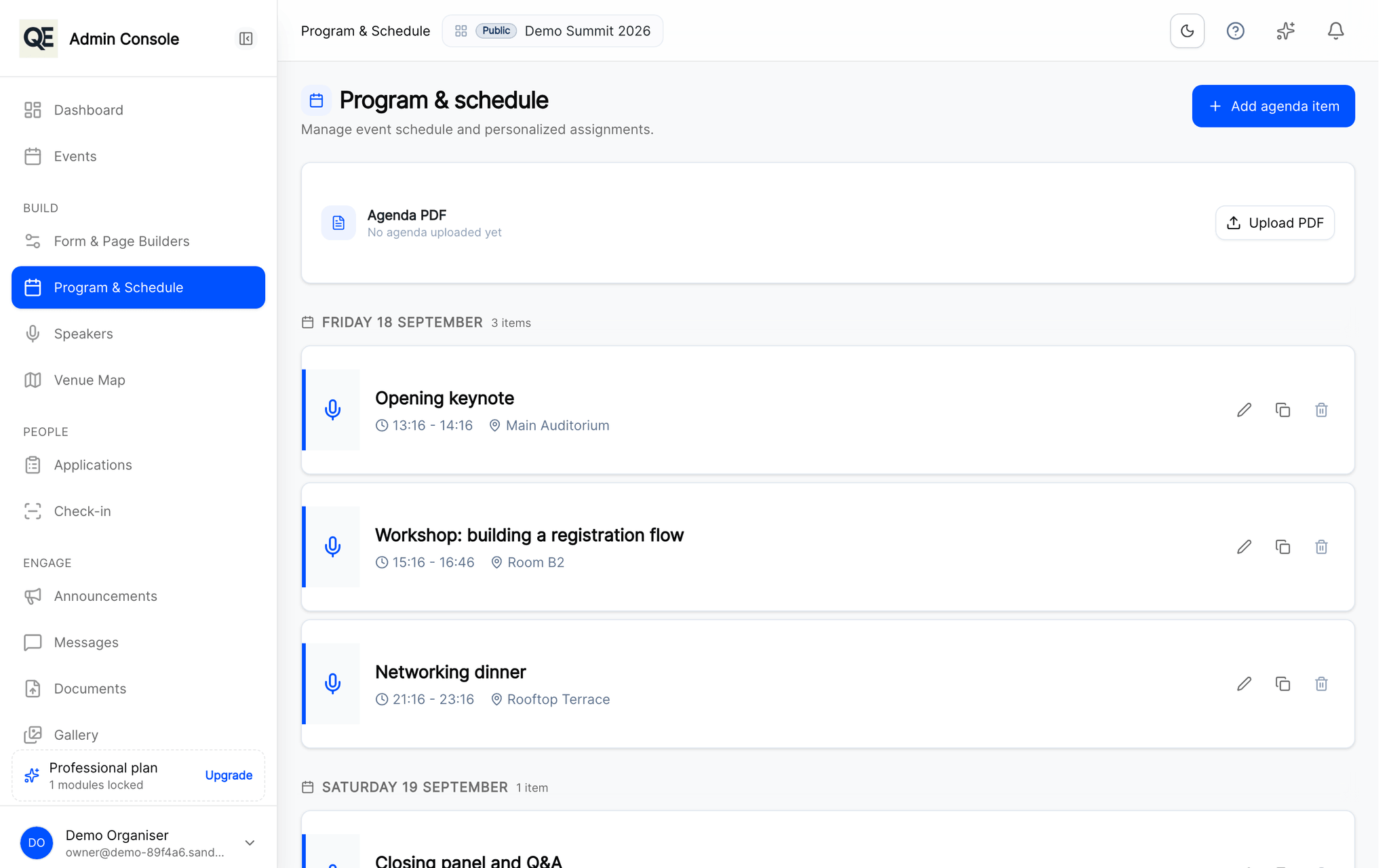
Build the programme
Sessions with a title, description, time and location, ordered across the days of your event.
Publish it to guests
Approved guests see the agenda in their portal and on their phone. There is one version and it is the current one.
Change it and tell people
Move a session and pair the change with an announcement, so the update reaches people rather than waiting to be discovered.
Related
What usually goes with this
Announcements and attendee messaging
Publish an agenda change once and reach everyone by e-mail and in the guest portal at the same time, with no copy-paste between tools.
Read moreDigital badges and QR check-in
Every approved guest gets a digital badge. Scan it at the door with a phone and watch arrivals appear in real time.
Read moreBuild your registration forms
Text, choices, files. Change them without a developer.
Read more
Questions
- Can guests download their own agenda?
- Yes. Guests can export their personal agenda as a PDF from their portal.
- Does the mobile app show the same programme?
- Yes. The app reads the same programme, so a change made in the organiser panel appears there too.
Ready when you are
Set up your organization, publish your first event and open registrations, you can do it in one sitting.
- Real organiser panel
- Registrations and check-in
- Your own public event page